

Quick Answer: A small business website is the single most controllable marketing asset a business owner has, unlike social media platforms that can change algorithms or suspend accounts overnight. In 2026, over 71% of small businesses have a website, yet many of those sites fail to convert visitors because they skip the fundamentals. This guide covers everything from choosing a platform and domain name to SEO, security, and scaling, so any small business can build a site that actually works.
Key Takeaways
- A professional small business website builds credibility, captures leads, and works 24/7, even when the business is closed.
- Website builders like Wix, Squarespace, and WordPress let owners create a business website without writing a single line of code.
- A basic small business website typically costs between $0 and $500 to launch, with ongoing monthly costs of $10,$50 for hosting and a domain name.
- Mobile-responsive design is non-negotiable: more than 60% of web traffic now comes from mobile devices.
- Every small business site needs an SSL certificate, a clear call-to-action, and at least basic on-page SEO to compete in local search.
- Free plans on most website builder platforms are a legitimate starting point, but upgrading to a paid plan removes ads and unlocks a custom domain name, which is critical for brand trust.
- The average small business website can be built and published in one to two weeks using a modern website builder and pre-made website templates.
Do Small Businesses Really Need a Website?
Yes, a business website is not optional in 2026. According to Google, 97% of consumers search online before visiting a local business, which means a missing or poorly built small business website is a direct revenue leak.
Social media pages are not a substitute. Platforms like Instagram and Facebook are rented space, the business does not own the audience, the algorithm controls reach, and accounts can be restricted without warning. A website, by contrast, is owned digital real estate. It hosts the business name, services, contact information, booking tools, and e-commerce capabilities under one roof, fully under the owner’s control.
The difference between a website and social media for business:
| Factor | Business Website | Social Media Page |
|---|---|---|
| Ownership | Full control | Platform-owned |
| SEO visibility | High (Google indexes it) | Limited |
| Custom domain name | Yes | No |
| E-commerce | Full capability | Limited |
| Data and analytics | Complete | Restricted |
| Algorithm dependency | None | High |
Small businesses that skip a website also miss out on Google Business Profile integration, which drives significant local foot traffic and phone calls from search results.
What Should a Small Business Website Include?
A well-built small business website needs five core elements: a clear homepage, an about page, a services or products page, a contact page, and a blog or resources section. Without these, the site cannot serve visitors or rank in search.
Beyond the basic pages, here are the features every small business site should have built in:
- Clear call-to-action (CTA): Every page should guide the visitor toward one action, book a call, get a quote, buy now, or contact the business.
- Mobile-responsive design: The layout must adapt cleanly to phones and tablets. Google uses mobile-first indexing, meaning a site that breaks on mobile will rank lower.
- SSL certificate: The padlock in the browser bar signals that the site is secure. Most hosting providers include a free SSL certificate. Without it, browsers flag the site as “Not Secure,” which destroys trust and hurts SEO.
- Fast load speed: Google data shows that 53% of mobile users abandon a site that takes longer than three seconds to load.
- Contact information: Phone number, email (a professional business email address, not a Gmail), and physical address if applicable.
- On-page SEO basics: Title tags, meta descriptions, header tags, and image alt text.
- Analytics: Connect Google Search Console and Google Analytics from day one to track traffic and conversions.
Optional but high-value additions include a booking system for service businesses, a CRM integration, live chat, and e-commerce functionality for selling online.
How Much Does It Cost to Build a Small Business Website?
The cost to build a small business website ranges from $0 (using a free plan on a website builder) to $10,000+ for a fully custom-designed site built by an agency. For most small businesses, the realistic range is $200,$2,500 for a professional result.
Here is a practical cost breakdown:
DIY website builder route (most common for small businesses):
- Domain name: $10,$20 per year
- Hosting (included in most website builder plans): $10,$40 per month
- Premium theme or template: $0,$100 one-time
- Stock photos or brand assets: $0,$200
- Total first-year estimate: $150,$700
WordPress self-hosted route:
- Domain name: $10,$20 per year
- Hosting: $5,$30 per month
- Premium WordPress theme (such as the Blocksy theme, a popular WordPress blocksy child theme option): $0,$70 per year
- Plugins (SEO, security, e-commerce): $0,$300 per year
- Total first-year estimate: $200,$800
Hiring a professional web designer:
- Freelancer: $500,$3,000
- Small agency: $3,000,$10,000+
- Done-for-you monthly plan: typically $200,$500/month, covers design, hosting, and ongoing management with no large upfront cost. See an example done-for-you website plan.
The key facts: a free business website is possible, but free plans typically show platform branding and do not allow a custom domain name. For any serious business, a paid plan is worth the cost. For a full breakdown of what drives these price differences, see How Much Should a Small Business Website Really Cost in 2026?
Best Website Builders for Small Businesses in 2026
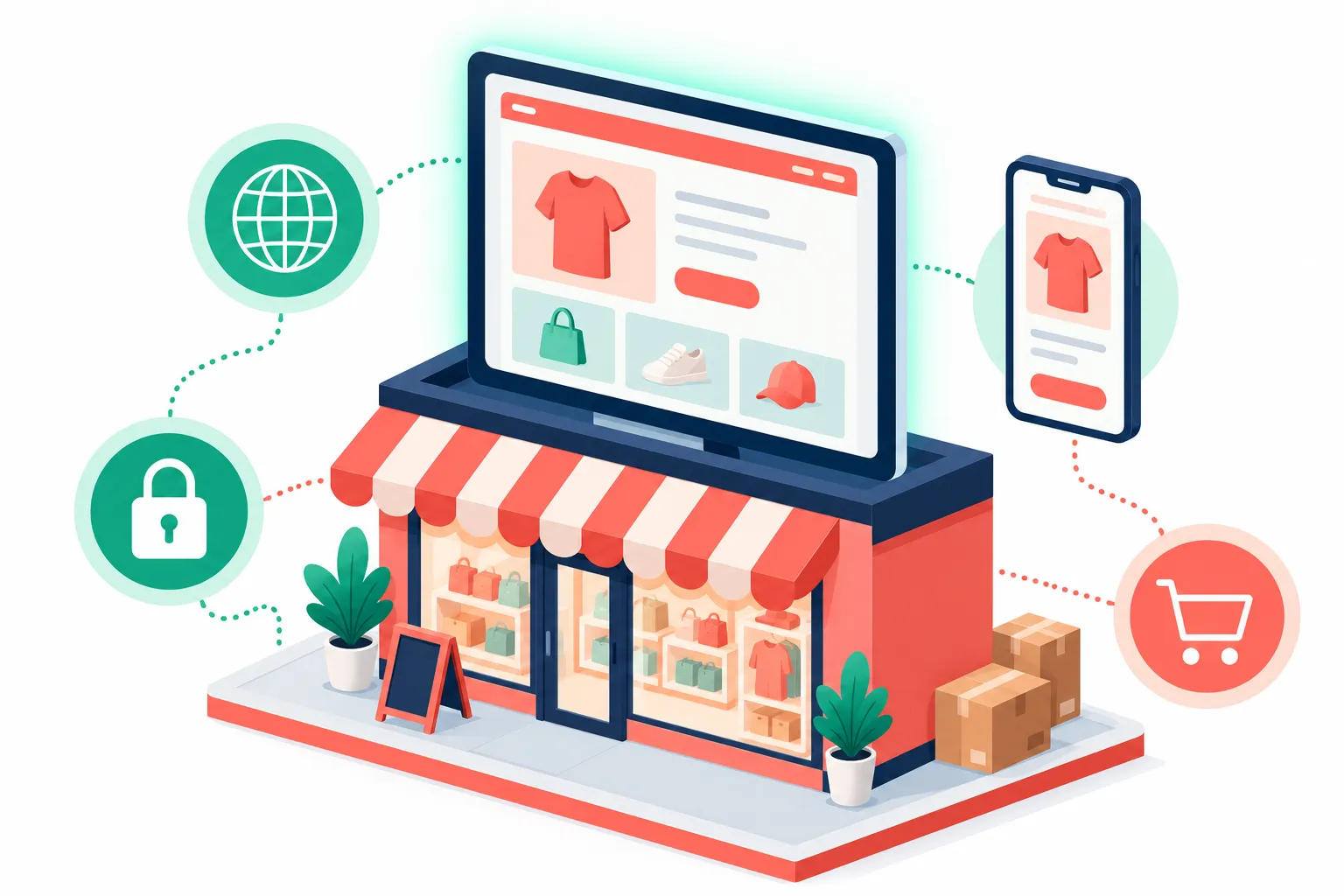
The best website builder for a small business depends on the business type, technical comfort level, and budget. Wix, Squarespace, and WordPress are the three most widely used platforms, each with distinct strengths.
Wix is the most beginner-friendly website builder. Its drag-and-drop editor lets owners create a business website in hours without any coding. Wix includes built-in marketing tools, scheduling, and an app marketplace. It is best for service businesses, restaurants, and local shops that want to get started quickly. Wix currently powers over 230 million websites worldwide.
Squarespace is the go-to platform for design-forward businesses, photographers, consultants, boutique retailers, and creative professionals. Its website templates are polished and minimal, and the platform handles hosting, SSL certificates, and updates automatically. Squarespace is slightly less flexible than Wix but produces cleaner results with less effort.
WordPress (self-hosted via WordPress.org) is the most powerful and flexible platform, running 43% of all websites on the internet. It requires more setup, choosing hosting, installing a theme such as Blocksy, and managing plugins, but it offers unmatched control over design, SEO, and functionality. For business owners who want that flexibility without doing the setup themselves, a done-for-you WordPress build gets the same power with none of the technical lift.
Canva has also emerged as a lightweight website builder. Canva is best for businesses that already use Canva for graphic design and want a simple one-page or portfolio-style site. It is not a full-featured platform for complex sites, but it works well for basic online presence needs.
Quick comparison:
- Wix: Best for beginners, service businesses, fast setup
- Squarespace: Best for design-focused brands, portfolios, simple e-commerce
- WordPress: Best for blogs, content-heavy sites, full e-commerce, maximum SEO control
- Canva: Best for simple one-page sites or portfolios
How to Make a Small Business Website Without Coding
Any business owner can create a business website in 2026 without writing code, using a modern website builder. The process takes one to two weeks from start to publish when following a clear plan.
Step-by-step process:
- Choose a platform. Select Wix, Squarespace, or WordPress based on the comparison above.
- Pick a domain name. The business name as a .com is the standard. Keep it short, easy to spell, and free of hyphens. Use the domain name search tools on Namecheap or GoDaddy to check availability.
- Select website templates. Every platform offers industry-specific website templates. Start with one that matches the business type, a restaurant template, a consulting template, or a retail template, and customize from there.
- Add brand elements. Upload the logo, set brand colors and fonts, and replace placeholder images with real photos of the business, team, or products.
- Write the core pages. Homepage, About, Services, Contact. Keep copy clear and direct. Each page should answer one question: what does this business do, who does it serve, and how can someone get in touch or buy?
- Set up a business email address. A professional business email (name@yourbusiness.com) builds trust. Most hosting providers include this with a paid plan.
- Install SEO basics. Add a page title and meta description to every page. Connect Google Search Console after publishing.
- Test on mobile. Preview the site on a phone before publishing. Fix any layout issues.
- Publish and share. Once live, add the website URL to the Google Business Profile, all social media profiles, and any print materials.
How long does it take to build a small business website? Using a website builder with pre-made website templates, most small business owners can go from zero to a published site in three to seven days. A more complex site with e-commerce, a blog, and custom design takes two to four weeks.

How to Optimize a Small Business Website for Google
SEO is how a small business website gets found by people who are actively searching for its services. The most important factors in 2026 are page experience, local SEO signals, and content relevance.
On-page SEO essentials:
- Include the primary keyword (the business type plus city) in the page title, H1 heading, and first paragraph.
- Write a unique meta description for every page, this is the text that appears in Google search results.
- Use header tags (H1, H2, H3) to structure content logically.
- Add descriptive alt text to every image.
- Link between pages internally so Google can crawl the full site.
Local SEO for small businesses:
- Claim and fully complete the Google Business Profile listing. This is the single highest-impact free action a local business can take.
- Add the business name, address, and phone number (NAP) consistently across the website and all online directories.
- Collect genuine customer reviews on Google, BrightLocal’s 2024 Local Consumer Review Survey found that 98% of consumers read online reviews for local businesses.
- Create location-specific pages if the business serves multiple cities.
Technical SEO basics:
- Submit the sitemap to Google Search Console.
- Ensure the site loads in under three seconds. Use Google PageSpeed Insights to identify and fix speed issues.
- Install an SSL certificate (HTTPS). Most platforms handle this automatically.
Common mistake: many small business owners publish a site and never touch it again. Google rewards sites that are updated regularly. Adding a blog post, updating a services page, or publishing a case study every month signals that the site is active.
Small Business Website Security and Mobile Design
A secure, mobile-responsive website is not a bonus feature, it is a baseline requirement. An SSL certificate encrypts data between the visitor’s browser and the server, protecting any form submissions, passwords, or payment details. Without HTTPS, Google Chrome marks the site as “Not Secure,” which causes visitors to leave immediately and signals lower trustworthiness to search engines.
SSL certificate facts:
- Free SSL certificates are available through Let’s Encrypt and are included automatically by most website builder platforms and managed hosting providers.
- An SSL certificate is a ranking signal in Google’s algorithm, sites without it rank lower.
- For e-commerce sites, an SSL certificate is legally required to process payments.
Mobile-responsive design for small business sites:
Mobile-responsive design means the website layout automatically adjusts to fit any screen size, desktop, tablet, or phone. Statcounter data from 2024 shows mobile devices account for over 60% of global web traffic. A site that is not mobile-friendly loses the majority of its potential visitors.
Most modern website builder platforms and WordPress themes (including the Blocksy theme) are mobile-responsive by default. The key is to preview the site on actual devices before publishing and fix any text that is too small, buttons that are too close together, or images that overflow the screen.
Will client data be secure? Yes, if the site uses HTTPS, a reputable hosting platform, strong passwords, and two-factor authentication on the admin account. For e-commerce sites, using a trusted payment processor like Stripe or PayPal means payment card data never touches the business’s own server.
How to Grow a Small Business Through Its Website
A small business website is not just a digital brochure, it is a tool for generating leads, selling online, building a community, and streamlining operations. The businesses that get the most from their sites treat the website as an active business asset, not a one-time project.
Sell online: Adding e-commerce to a small business website lets it take orders and accept payments 24/7. Wix, Squarespace, and WordPress (via WooCommerce) all support online selling. Even service businesses can sell gift cards, digital downloads, or paid consultations through their site.
Grow your community: A blog or email newsletter subscription form on the website builds a direct relationship with customers that no social media platform can take away. Tools like Mailchimp and ConvertKit integrate with most website builder platforms to automate email marketing.
Streamline operations: Booking systems (such as Calendly or built-in Wix scheduling) let clients book appointments directly through the site, reducing back-and-forth emails. CRM integrations help manage contacts and follow-up sequences.
Host events: Many small business websites now include event pages with ticketing and RSVP tools. Squarespace and Wix both offer event management features built into the platform.
Manage properties: For real estate agents or property managers, a small business website can include property listing pages, virtual tour embeds, and inquiry forms, all without a third-party platform.
Serve everywhere: A website with a booking system, live chat, and a contact form means the business is reachable around the clock, even outside business hours.
How to increase business website sales and conversions:
- Place the primary CTA above the fold on the homepage so visitors see it without scrolling.
- Add social proof, testimonials, case studies, review widgets, near every CTA.
- Reduce friction in the checkout or contact process. Every extra form field reduces conversion rate.
- Use Google Analytics to identify which pages visitors leave from, then improve those pages first.
- A/B test headlines and CTA button text to find what drives more clicks.
Can I Start With a Free Website and Upgrade Later?
Yes, starting with a free plan is a legitimate strategy for businesses that are not yet ready to invest. Most website builder platforms offer a free tier that includes hosting and basic design tools. The trade-off is platform branding in the URL (e.g., yourbusiness.wix.com) and limited features.
When a free website makes sense:
- The business is in its first few months and testing its concept.
- Budget is genuinely constrained and a basic online presence is better than none.
- The site is a placeholder while a professional design is in progress.
When to upgrade:
- The business is actively seeking customers online, a branded domain name is essential for credibility.
- The site needs e-commerce, a booking system, or a business email address.
- The business wants to run Google Ads or track conversions properly.
Most platforms make upgrading straightforward. On Wix and Squarespace, upgrading to a paid plan removes ads, connects a custom domain name, and unlocks marketing tools within minutes. On WordPress, the upgrade path involves moving from a free WordPress.com plan to a paid plan or migrating to self-hosted WordPress.org, a more technical step but worth it for growing businesses.
Small business website examples that work: Look at competitors in the same industry and geography. Use BuiltWith or the browser’s “View Source” option to identify what platform a competitor’s site uses. This is one of the fastest ways to find proven website templates and design patterns for a specific industry.
Common Mistakes Small Business Owners Make With Websites
The most common mistake is treating the website as a finished product rather than an ongoing asset. A site that was built in 2020 and never updated is likely slow, not mobile-optimized, and invisible in search results. Not sure if your current site already has these problems? The related guide 5 Signs Your Website Is Losing You Clients walks through the warning signs in more detail.
Other frequent mistakes:
- No clear CTA: Visitors land on the homepage and do not know what to do next. Every page needs one primary action.
- Stock photos only: Generic stock images reduce trust. Real photos of the business, team, or products consistently outperform stock images for conversion rate.
- Ignoring page speed: A slow site loses visitors and ranks lower. Compress images, use a fast hosting platform, and minimize unnecessary plugins.
- Skipping the Google Business Profile: Many small businesses have a website but never claim their Google Business Profile, missing a major source of free local traffic.
- No analytics: Without Google Search Console and Google Analytics installed, there is no way to know what is working or where visitors are dropping off.
- Weak about page: The about page is often the second most visited page on a small business site. A generic “we are a passionate team” paragraph wastes the opportunity to build trust.
- No blog or content strategy: A website with no new content gives Google no reason to crawl it regularly and gives potential customers no reason to return.
How to make a business website look professional:
- Use a consistent color palette (two to three colors maximum).
- Stick to one or two fonts throughout the site.
- Ensure consistent spacing and alignment, most website builder platforms handle this automatically with their grid system.
- Use high-resolution images and compress them for web (tools like TinyPNG are free).
- Remove any default placeholder content before publishing.

How to Start a Business Website: A Step-by-Step Checklist
Getting a small business website live is a concrete, manageable process. Use this checklist to track progress from idea to published site.
Pre-launch checklist:
- Choose a platform (Wix, Squarespace, WordPress, or Canva)
- Register a domain name
- Select and customize a template from the platform’s website templates library
- Write copy for all core pages (Home, About, Services, Contact)
- Add real photos and brand assets
- Set up a professional business email address
- Install SSL certificate (automatic on most platforms)
- Connect Google Analytics and Google Search Console
- Test on mobile and tablet
- Check all links and forms work correctly
- Set up Google Business Profile and link the website
Post-launch priorities:
- Submit sitemap to Google Search Console
- Add the website URL to all social media profiles and directories
- Plan a content calendar for blog posts or updates
- Set up a backup schedule (critical for self-hosted WordPress sites)
- Review site speed with Google PageSpeed Insights
FAQ: Create a Small Business Website
What is the best website to use for small business?
Wix is the best all-around website builder for most small businesses because it combines ease of use, a wide range of website templates, built-in marketing tools, and affordable pricing. Squarespace is the top pick for design-focused brands, while WordPress is best for businesses that need maximum flexibility, blogging capability, or advanced e-commerce. The right choice depends on the business type, technical comfort, and budget. Business owners who would rather not manage a website builder themselves can also use a done-for-you managed website plan, which removes the ongoing setup and maintenance work entirely.
How do I create a website for my small business?
Choose a website builder platform (Wix, Squarespace, or WordPress), register a domain name, select a template from the platform’s website templates library, customize it with the business name, logo, services, and contact details, then publish. Most small business owners can complete this process in three to seven days without any coding knowledge. After publishing, connect Google Search Console and claim the Google Business Profile listing.
Do I need an LLC to run a website?
No, an LLC is not required to build or run a business website. Any individual can create and publish a website under their own name or a business name without forming a legal entity. However, forming an LLC provides liability protection and can make the business appear more credible to clients. Consult a business attorney or accountant to determine the right legal structure for the specific business situation.
Can ChatGPT actually create a website?
ChatGPT can generate website copy, suggest site structure, write HTML and CSS code, and help plan content strategy, but it cannot directly publish a live website on its own. To create a functional site, the generated code or content still needs to be placed into a website builder platform or hosting environment. Tools like Wix ADI and AI-assisted builders in Squarespace and WordPress can auto-generate a starter site, but human review and customization are still needed before publishing.
Conclusion: Build a Small Business Website That Works for the Business
A small business website is the foundation of every other marketing effort, it is where ads send traffic, where social media followers land, and where potential customers decide whether to trust the business enough to buy. Getting it right does not require a large budget or technical expertise. It requires the right platform, clear messaging, a professional domain name, and a commitment to keeping the site updated.
Not every business owner wants to manage this alone. If you would rather hand the ongoing work to someone else, Pablocity’s done-for-you website service covers the build, hosting, and monthly updates for a flat monthly rate. Get in touch to see if it is a fit for your business.
Actionable next steps:
- Choose a platform today. If starting from scratch, Wix is the fastest path to a live site. If long-term flexibility and SEO are priorities, start with WordPress and the Blocksy theme.
- Register a domain name. A branded .com domain name is a one-time decision that affects the business for years, get it right from the start.
- Use website templates. Do not build from a blank canvas. Start with an industry-specific template and customize it.
- Claim the Google Business Profile. This free listing drives local traffic and works hand-in-hand with the business website.
- Plan for maintenance. Set a monthly reminder to check site speed, update plugins (on WordPress), review analytics, and publish at least one new piece of content.
The businesses that treat their website as an active asset, not a one-time task, consistently outperform those that do not. Start small, publish fast, and improve from there.
References
- Forbes Advisor, Small Business Website Statistics (2024)
- Think With Google, Digital Research Before Purchase Statistics (2023)
- Statcounter, Platform Market Share: Desktop, Mobile, Tablet Worldwide (2024)
- Google Developers, Mobile-First Indexing (2024)
- Think With Google, Page Load Time Statistics (2023)
- W3Techs, WordPress Usage Statistics (2024)
- Google Developers, HTTPS as a Ranking Signal (2014)
- BrightLocal, Local Consumer Review Survey (2024)
- Wix (2024)
- Wix, About Us (2024)
- Squarespace (2024)
- WordPress.org (2024)
- Let’s Encrypt, About (2024)
- Google Search Console (2024)
- Google Business Profile (2024)
- Google PageSpeed Insights (2024)
- Blocksy WordPress Theme, Creative Themes (2024)
- WooCommerce (2024)
- Mailchimp (2024)
- Canva (2024)
- Namecheap (2024)
- GoDaddy (2024)
- Stripe (2024)
- PayPal (2024)
- Calendly (2024)
- ConvertKit (2024)
- Google Analytics (2024)
- TinyPNG (2024)
- BuiltWith (2024)
Explore the Full Guide
Dig deeper into any of these topics:
- DIY Website Builder vs Hiring a Professional
- Website Agency vs. Freelancer vs. Done-For-You Service
- How Long Does It Take to Build a Website?
- WordPress vs. Wix vs. Squarespace
- How to Choose a Website Template Without Looking Generic
- How to Write a Homepage That Converts Visitors Into Leads
- Where to Put Call to Action on Website
- The 7 Pages Every Small Business Website Needs
- What Does a Small Business Website Need? The No-Fluff Checklist
- Domain, Hosting, and SSL Explained
- On-Page SEO Basics for Small Business
- How to Optimize Your Google Business Profile
- Local SEO for Small Businesses: A Beginner's Checklist
- Why Isn't My Website Showing Up on Google?
- Do I Need a Booking System for My Small Business?
- Should My Website Sell Products Online?
- Do Small Businesses Really Need a Blog?
- How Often Should You Actually Update Your Website?
- How to Read Website Analytics for Beginners