

Quick Answer: For most small business owners, a professionally built website takes 4 to 12 weeks from kickoff to launch. DIY builds using a website builder like Wix or Squarespace can go live faster in theory, but realistically take 1 to 3 months of part-time work. The biggest variable is not the platform or the developer, it is how quickly content, approvals, and decisions come together.
Key Takeaways
- A standard small business website built by a professional takes 4 to 12 weeks, with most real-world projects landing in the 6 to 8 week range once revisions are included [5][7]
- DIY website builder projects are marketed as weekend builds but typically take 1 to 3 months for a business-ready result [1][7]
- Content readiness is the single biggest bottleneck, projects stall most often waiting for text, images, and brand assets from the client [1][3]
- Fast-track builds using AI-assisted workflows can get a 5 to 8 page site live in 5 to 7 business days when content and a single decision-maker are ready from day one [2][4]
- Most owners are quoted 8 to 12 weeks but end up waiting 4 to 6 months when strategy, content, and approvals are not locked in before work begins [1]
- The website build process has six distinct phases: strategy, design, development, content, testing, and launch, each phase takes time and skipping any one of them creates problems after launch
- Choosing the right platform matters: Elementor on WordPress, Wix, and Squarespace each offer different trade-offs between speed, flexibility, and long-term control
- A new website typically takes 3 to 6 months to begin ranking in Google search results, so the sooner the site launches, the better [9]
The “It Depends” Factor: What Really Defines Your Website Timeline?
How long does it take to build a website? The honest answer is that no single number applies to every project. The timeline depends on four core variables: the scope and complexity of the site, how much content is ready before work begins, which platform and team configuration is used, and how many people are involved in approvals. Understanding these factors before starting is the fastest way to set realistic expectations and avoid the most common delays.
Project Scope and Complexity: The Biggest Driver
A 5-page brochure site and a 50-page ecommerce store are both “websites,” but they require completely different amounts of time and effort. Scope includes the number of pages, the number of unique design templates needed, whether custom functionality is required, and how many integrations (booking systems, payment gateways, CRMs) must be connected. Every additional feature adds build time, testing time, and often a longer review process.
Content Availability: The Number-One Project Bottleneck
Content, meaning the text, images, videos, and documents that fill each page, is consistently cited as the top reason website projects run over schedule [1][3]. When a business owner has not yet written their service descriptions, gathered professional photos, or finalized their brand messaging, the entire project sits idle. A professional designer or developer cannot complete a page without the words and images that belong on it. Preparing content in advance, before a single design decision is made, can cut the overall timeline by weeks.
Technology Stack: Your Platform Choice
The platform used to build the site directly affects how long the process takes. A website builder like Wix or Squarespace provides pre-built templates and drag-and-drop tools that reduce development time significantly. WordPress with a page builder like Elementor sits in the middle, more flexible than pure drag-and-drop tools but faster than fully custom code. A custom web application built from scratch in a framework like React or Laravel takes the longest, often 3 to 6 months or more [9].
Team Size and Expertise: DIY vs. Professional
A solo business owner building their own site on a website builder works at a different pace than a two-person agency with a dedicated designer and developer. DIY builds are slower not because the tools are harder but because the owner is also running a business at the same time. Professional teams bring focused hours, established workflows, and experience that reduces trial and error. The trade-off is cost, which is why many small business owners start DIY and later hire help to refine or rebuild.
The Review and Feedback Process
Every round of revisions adds time. A project with a single decision-maker who responds within 24 hours moves far faster than one involving three stakeholders who take a week to align on feedback. Agencies and freelancers often build 1 to 2 rounds of revisions into their quoted timeline. Additional rounds, scope changes, or late-stage redesign requests are the most common reasons a project quoted at 8 weeks ends up taking 16 [1][4].
Website Build Timelines by Type: Real-World Estimates
The time it takes to build a website varies dramatically based on what kind of site is being created. Here are realistic ranges based on current 2026 data across different site types and build methods.
The Simple Brochure or Portfolio Website
A simple brochure or portfolio site, typically 3 to 5 pages covering home, about, services, and contact, is the fastest type of site to build. Using a website builder, a motivated owner can assemble one in a weekend if all content is ready. With a professional, a streamlined brochure site can go from kickoff to launch in 1 to 3 weeks [4][7]. These sites have minimal custom functionality, use a single design template, and require fewer approval cycles.
Realistic timeline:
- DIY with Wix or Squarespace: 1 to 4 weeks (assuming content is ready)
- Freelancer or small agency: 1 to 3 weeks
- Fast-track AI-assisted build: 5 to 7 business days [2]
The Small Business Website
A small business website typically includes 8 to 15 pages, a blog, contact forms, Google Maps integration, and sometimes a basic booking or inquiry system. This is the most common type of site for service businesses, restaurants, and local retailers. Most professionals quote 4 to 8 weeks for this scope, and real-world delivery including content rounds and revisions lands at 6 to 12 weeks [5][7]. DIY builders working part-time should expect 6 to 16 weeks for a business-ready result [1][6].
Realistic timeline:
- DIY with a website builder: 6 to 16 weeks
- Freelancer: 4 to 10 weeks
- Mid-size agency: 8 to 14 weeks [1][5]
The eCommerce Store
An ecommerce site adds product catalog management, payment processing, inventory tracking, and often customer account functionality. Even a basic ecommerce store with 20 to 50 products takes significantly longer to build and populate than a standard business site. Platforms like Wix ecommerce and WordPress with WooCommerce reduce development time compared to custom builds, but product data entry alone can take weeks. Most small ecommerce builds run 8 to 16 weeks [5][9].
Realistic timeline:
- DIY ecommerce (Wix, Squarespace): 8 to 16 weeks
- Freelancer with WooCommerce: 8 to 14 weeks
- Agency with custom ecommerce: 12 to 24 weeks [9]
The Custom Web Application
A custom web application, think a client portal, a SaaS product, a booking platform with complex logic, or a marketplace, is in a different category entirely. These projects involve significant backend development, database architecture, user authentication, and extensive testing. A custom web application built by a professional development team typically takes 3 to 9 months, and larger enterprise builds can run 12 months or more [9]. These are not standard website builds and should be scoped and priced accordingly.
Brochure / Portfolio (3-5 pages): DIY 1-4 weeks | Professional 1-3 weeks
Small Business Site (8-15 pages): DIY 6-16 weeks | Professional 4-12 weeks
eCommerce Store (20-50 products): DIY 8-16 weeks | Agency 12-24 weeks
Custom Web Application: Professional team 3-9+ months
Deconstructing the Website Build Process: Where Does the Time Go?
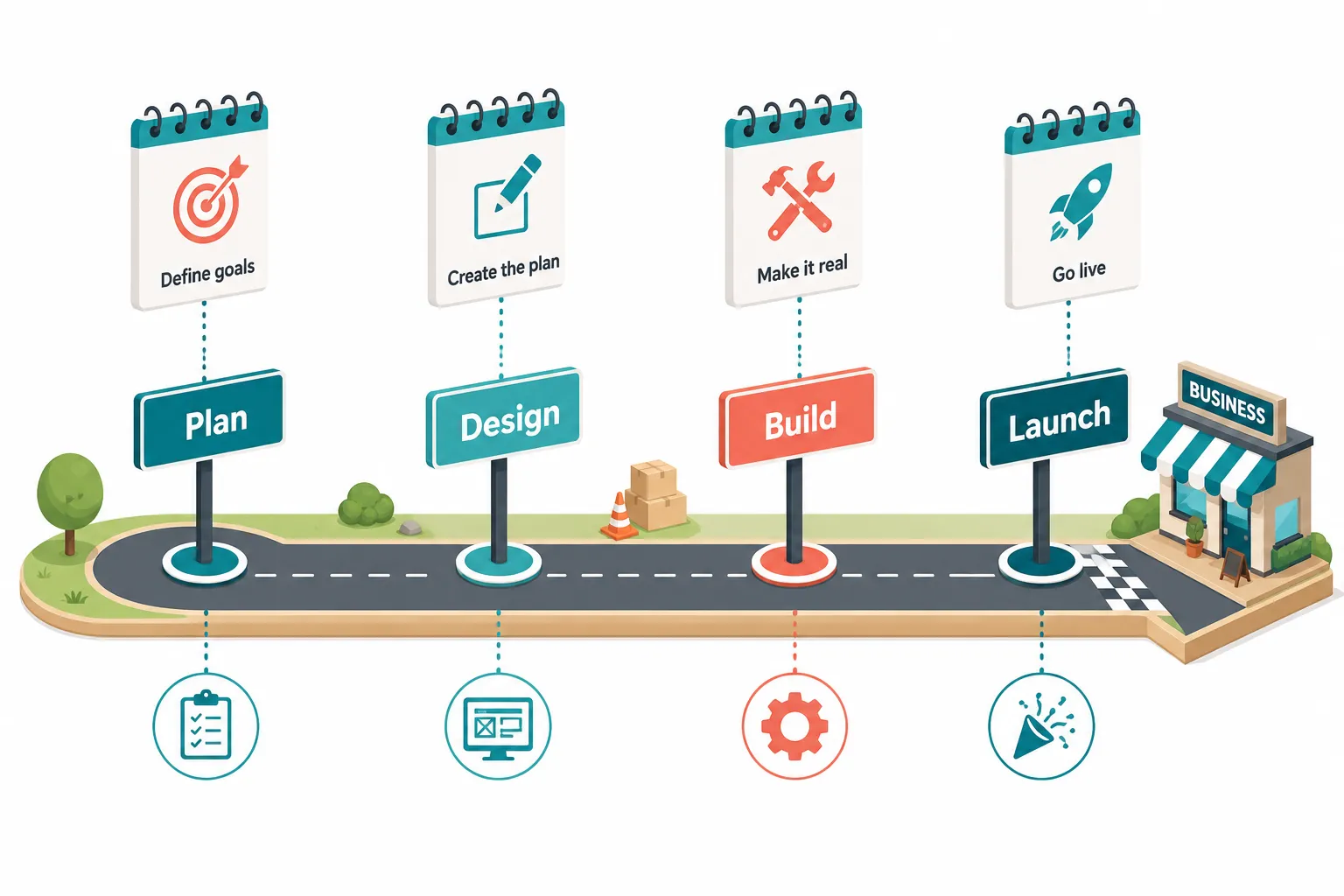
The website build process is not a single task, it is a sequence of phases, each of which requires specific inputs and produces specific outputs. Understanding where time is spent helps owners prepare better and push projects forward more efficiently.
Phase 1: Strategy and Planning (1 to 2 Weeks)
Strategy and planning define what the site needs to accomplish, who the audience is, what pages are required, and what success looks like. This phase includes competitor research, sitemap creation, and agreement on goals and scope. Skipping this phase is one of the most common mistakes that leads to expensive redesigns later. For a professional build, expect 1 to 2 weeks here [3][5]. For a DIY build, this phase is often skipped entirely, which is why many DIY sites get rebuilt within 18 months.
Phase 2: Design (1 to 4 Weeks)
Design covers the visual direction of the site, color palette, typography, layout structure, and the look of key page templates. For professional builds, this phase typically involves wireframes or mockups presented for client approval. Revisions at this stage are normal and expected. Elementor’s design tools and pre-built templates can compress this phase significantly for WordPress-based builds [7]. Using a platform like Elementor with its site planner features helps teams move from concept to approved design faster than starting from a blank canvas.
Phase 3: Development and Build (1 to 8+ Weeks)
Development is when the approved design is turned into a functioning website. For template-based builds using a website builder or Elementor, this phase can be as short as a few days for a simple site. For custom builds with unique functionality, it can take 8 weeks or more. This is the phase most people think of when they ask how long does it take to build a website, but it is rarely the longest phase in practice [3][7].
Phase 4: Content Population (1 to 3 Weeks)
Once the structure is built, every single page needs to be filled with the actual text, images, and media that visitors will see. If content is prepared in advance, meaning text images ready, photos selected, and copy approved, this phase moves quickly. If content is being written during this phase, it becomes the longest and most unpredictable part of the entire process [1][3]. Having text images ready before development begins is one of the most impactful things an owner can do to stay on schedule.
Phase 5: Testing and Quality Assurance (1 to 2 Weeks)
Testing covers browser compatibility, mobile responsiveness, page load speed, form functionality, link checking, and accessibility review. For ecommerce sites, testing also includes the full purchase flow, payment processing, and order confirmation emails. This phase is non-negotiable for a professional launch. Rushing through QA is one of the most common mistakes that results in embarrassing post-launch bugs [3][8].
Phase 6: Launch (1 Day to 1 Week)
The actual launch involves pointing the domain to the new hosting environment, configuring SSL certificates for enterprise-grade security, setting up redirects from old URLs, and submitting the site to Google Search Console. For a site already built on a hosted platform like Wix, launch can happen in hours. For a site migrating from one hosting environment to another, such as moving from shared hosting to managed WordPress hosting, allow 2 to 5 business days for DNS propagation and final checks [10].
How to Accelerate Your Website Build Without Cutting Corners
The fastest website builds share a few common traits: content is ready before work starts, there is a single decision-maker, and the platform is chosen for speed rather than maximum flexibility. Here are the highest-impact ways to compress the timeline without sacrificing quality.
The Power of a Unified Platform
Using a unified platform that handles design, development, and hosting in one place eliminates the coordination overhead between separate tools and vendors. Platforms like Wix and all-in-one WordPress solutions with Elementor reduce the number of hand-offs in the process. When design, build, and hosting wordpress hosting are managed in one environment, there are fewer technical integration points to troubleshoot. The Elementor site planner, for example, allows teams to map out a site’s structure before a single page is built, reducing mid-project scope changes [7].
Embrace AI-Powered Workflows
AI-assisted website building is one of the most significant shifts in the web industry in 2026. Tools embedded in platforms like Wix and Elementor can generate page layouts, suggest content structure, and auto-populate placeholder text based on a business description. A 2026 report from BurnsBuilt found that an AI-assisted small studio can take a 5 to 8 page marketing site from kickoff to launch in just 5 to 7 business days when content and brand assets are ready [2]. These timelines represent the best-case end of the spectrum, but they show what is achievable when automation is used well.
Start with a Professional Foundation
Starting with a high-quality, professionally designed template cuts design time significantly. Rather than building a design from scratch, a professional foundation gives the team a visual starting point that has already been tested for usability and mobile responsiveness. This approach is especially effective for small business websites where a unique custom design is not a core differentiator. Elementor’s template library and Wix’s industry-specific templates are both strong starting points for a business website in 2026.
Prepare Your Content in Advance
Content preparation is the single highest-leverage action an owner can take before engaging a designer or developer. This means writing or commissioning all page copy, gathering professional photography or selecting stock images, finalizing the business logo and brand colors, and deciding on the site’s navigation structure. When a client delivers complete, approved content on day one, professional builds routinely finish 2 to 4 weeks ahead of schedule [1][3].
Platform and Team: How Your Choice Impacts the Clock
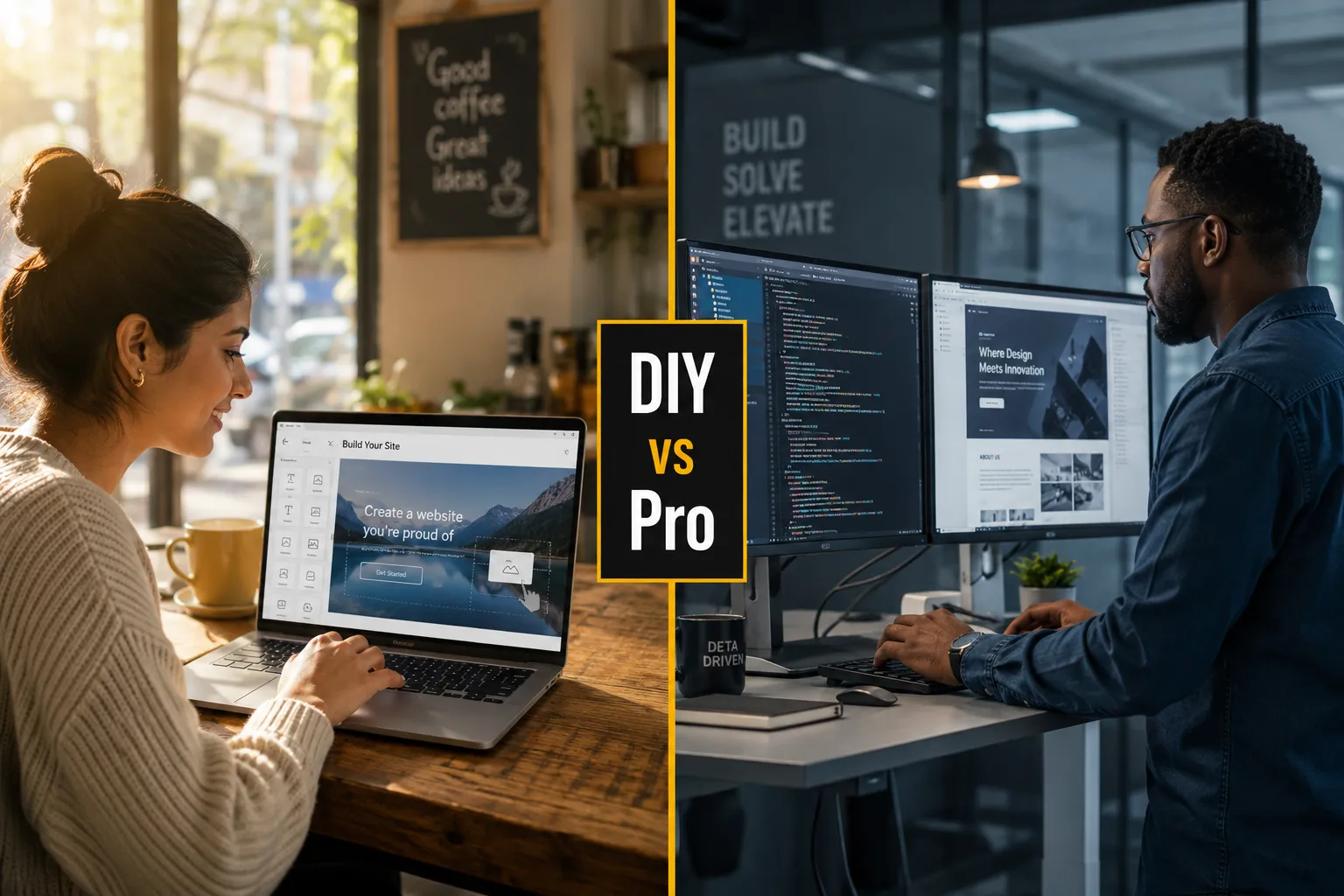
The choice between building a website yourself and hiring a professional is not just a cost decision, it is a time decision. Each path has a different risk profile and a different set of skills required.
The DIY Route: Website Builders
Using a website builder like Wix or Squarespace to build a website yourself is the most accessible path for owners on a tight budget. These platforms are designed to make website building achievable without coding knowledge. A Wix website can be started for free, and the drag-and-drop editor makes it possible to create a professional-looking site without technical skills. However, the learning curve for making a site look genuinely professional, not just functional, is steeper than the marketing suggests.
Most owners using a website builder for the first time take 1 to 3 months of evenings and weekends to get a business-ready site live [1][7]. The time cost is real even if the financial cost is lower. Wix also offers ADI (Artificial Design Intelligence) features that can generate a starting point for a wix website in minutes, which helps compress the early design phase. For owners who want to build website themselves and have the time to invest, DIY is a viable path. For owners whose time is worth more than the cost of hiring help, the math often favors going professional.
Choose DIY if:
- Budget is the primary constraint
- The site is simple (5 pages or fewer)
- The owner has time to invest over several weeks
- The business does not require custom functionality
Choose professional help if:
- Time to launch is critical
- The site needs ecommerce, booking systems, or custom integrations
- Brand presentation is a key competitive differentiator
- The owner’s time is better spent running the business
The Professional Route: Hiring Help
Hiring a freelancer or agency to build a website shifts the time burden from the owner to the professional, but it does not eliminate the owner’s role. The owner still needs to provide content, give feedback, and make decisions. The quality of the owner’s inputs directly affects the quality and speed of the output.
Freelancers typically quote 3 to 6 weeks for a small business website and deliver in 4 to 12 weeks depending on scope and content readiness [1][2]. Mid-size agencies quote 8 to 12 weeks and often deliver in 12 to 20 weeks. Boutique agencies that include brand strategy workshops and multi-stakeholder approval processes commonly take 4 to 6 months [2]. The question “is it worth paying more for faster development?” depends on the business context. For a business with a hard launch deadline, a product release, a seasonal campaign, a grand opening, paying a premium for a faster timeline is often worth it. For a business with flexibility, a mid-range freelancer with strong reviews is usually the best value.
Common Mistakes That Slow Down Website Building
Several patterns consistently extend timelines beyond what was originally quoted. Knowing these in advance helps owners avoid them.
Waiting to gather content: The most common delay. Start collecting text, images, and brand assets the moment a project is confirmed, not after the designer asks for them [1][3].
Too many decision-makers: Every additional stakeholder who must approve designs or content adds days or weeks to the review cycle. Designate a single point of contact with final approval authority.
Changing scope mid-project: Adding new pages, features, or functionality after the project has started is called scope creep, and it is the fastest way to extend a timeline and increase costs. Define the full scope before work begins.
Choosing the wrong platform: Starting on a platform that cannot support the site’s long-term needs forces a rebuild. A business that starts on a basic website builder and later needs advanced ecommerce or custom integrations may need to migrate to WordPress or a more capable platform, adding months to the overall process.
Skipping mobile testing: Over 60% of web traffic now comes from mobile devices, according to Statista’s 2025 mobile traffic data. A site that looks great on desktop but breaks on mobile is not ready to launch, regardless of how long it took to build.
Ignoring hosting setup time: Getting a domain and hosting set up is faster than most people expect, typically 1 to 2 hours for a new account on a managed platform, but DNS propagation after pointing a domain to a new host can take 24 to 72 hours [10]. Factor this into launch planning.
How Long Before a Website Shows Up in Google Search?
A new website does not rank in Google the moment it launches. After launch, Google needs to discover, crawl, and index the site before it appears in search results. For a brand-new domain, this process typically takes 3 to 6 months before meaningful organic traffic begins to arrive [9]. Established domains that are redesigned or relaunched can recover their rankings faster, often within 4 to 8 weeks, provided redirects are set up correctly.
To accelerate indexing, submit the site to Google Search Console immediately after launch, create and submit an XML sitemap, and build a few quality inbound links. SEO is a long-term process, and the sooner a site is live, the sooner the clock starts. This is one of the strongest arguments for launching a “good enough” site quickly rather than waiting for perfection, every week of delay is a week of potential search visibility lost.
Can a Website Be Built in a Week? Fast-Track Options Explained
Yes, a website can be built and launched in a week under the right conditions. The right conditions are: all content (text images) is ready before day one, there is a single decision-maker with fast turnaround on feedback, the site is 5 to 8 pages with no custom functionality, and the team is using a modern platform with AI-assisted tools [2][4].
Tyler Digital reports that a 10 to 20 page small business site can require only 1 to 3 days of actual build work and go live in 5 to 7 days end-to-end with responsive client feedback [4]. BurnsBuilt’s 2026 analysis confirms similar timelines for AI-assisted builds [2]. These are real timelines, not marketing claims, but they represent the best-case scenario. Most projects have at least one variable that adds time, content that needs revision, a stakeholder who needs a few days to review, or a technical integration that requires extra testing.
For owners who need a site live fast, the most reliable path is: choose a hosted website builder or a managed WordPress solution with Elementor, use a professional template as the starting point, have all content ready before starting, and commit to 24-hour turnaround on all feedback requests.
Do You Need to Know Coding to Build a Website?
No coding knowledge is required to build a professional-looking website in 2026. Modern website builders like Wix and Squarespace are entirely visual, every element is placed using drag-and-drop tools, and the platform handles all the underlying code. WordPress with Elementor similarly allows full site design without writing a single line of code, while still providing access to code for those who want it.
Coding becomes relevant only when a site needs custom functionality that no existing plugin or app can provide, for example, a proprietary booking algorithm, a custom data dashboard, or a unique user authentication flow. For the vast majority of small business websites, no coding is needed at any stage of the process.
That said, a basic understanding of how websites work, what hosting is, how domains connect to hosting, what an SSL certificate does, helps owners make better decisions and communicate more effectively with developers if they hire one. There are free resources available, including tutorials on https www youtube com and the Elementor support help center, that can bring any owner up to speed in a few hours.
Is It Worth Paying More for Faster Website Development?
Paying a premium for faster delivery is worth it when time has a measurable business value. If a business is losing revenue every week it operates without a website, for example, a new restaurant that cannot take online reservations, or a consultant who cannot be found in Google search, the cost of delay is real and quantifiable. In those cases, paying 20 to 40% more for a fast-track build that launches in 1 to 2 weeks instead of 6 to 8 weeks is a straightforward business decision.
When time is not a critical constraint, the better investment is usually in quality rather than speed. A well-planned, well-designed site that takes 10 weeks to build will outperform a rushed 2-week build for years afterward. The goal is not the fastest website build, it is the best return on the time and money invested.
Beyond the Launch: Planning for the Long Term
Launching a website is not the end of the process, it is the beginning. A business website requires ongoing maintenance to stay secure, fast, and effective. Planning for post-launch maintenance before the site goes live prevents the common scenario where a site is neglected for 2 to 3 years and then needs a full rebuild.
What ongoing website maintenance includes:
- Security updates: Platforms like WordPress require regular plugin and theme updates to maintain enterprise-grade security. Managed hosting providers often handle this automatically, but it requires attention on self-managed installs.
- Content updates: A business website should reflect current services, pricing, team members, and promotions. Stale content hurts both user experience and SEO.
- Performance monitoring: Page load speed affects both user experience and search rankings. Tools like Google PageSpeed Insights provide free ongoing monitoring.
- Backup management: Regular automated backups ensure that a site can be restored quickly if something goes wrong. Most quality hosting providers include this, but it should be verified.
- SEO and analytics review: Monthly review of Google Search Console and Google Analytics data helps identify what is working and what needs improvement.
For small business owners who want to focus on running their business rather than managing a website, a monthly maintenance retainer with a freelancer or agency, typically ranging from a few hundred dollars per month, is a cost-effective way to keep the site in good shape. Alternatively, platforms like Wix and managed WordPress hosting providers handle most of the technical maintenance automatically, making them a strong choice for owners who want to manage their own site without deep technical involvement.
FAQ
How long does it take for a person to build a website?
For a solo business owner using a website builder like Wix or Squarespace, building a professional small business website realistically takes 1 to 3 months of part-time work. A motivated owner with all content ready can launch a simple 5-page site in a weekend, but most business-ready sites require several weeks of evenings and weekends to complete properly [1][7].
Is AI replacing web design?
AI is not replacing web design, but it is changing how design work gets done. AI tools embedded in platforms like Wix and Elementor can generate layouts, suggest copy, and automate repetitive tasks, which allows designers to work faster and focus on higher-level creative decisions. Human judgment, brand strategy, and user experience expertise remain essential for results that go beyond a generic template [2][7].
Can I build a website in a day?
A very simple website, a single-page site or a basic landing page, can be built and published in a day using a website builder, provided all content is ready. A multi-page small business website with professional design, working contact forms, and mobile optimization typically takes longer. Fast-track professional builds can launch a 5 to 8 page site in 5 to 7 business days under ideal conditions [2][4].
How difficult is making a website?
Making a basic website is genuinely accessible to non-technical users in 2026. Platforms like Wix and Squarespace are designed for people with no coding background, and AI-assisted tools make the starting point even easier. The difficulty increases with complexity: adding ecommerce, custom integrations, or unique functionality requires more technical knowledge or professional help. The hardest part for most owners is not the technical build, it is creating compelling content [1][7].
Conclusion
How long does it take to build a website? The real answer for most small business owners is 4 to 12 weeks for a professionally built site, or 1 to 3 months for a solid DIY build, but only if content is ready, decisions are made quickly, and scope is defined before work begins. The gap between the quoted timeline and the actual launch date is almost always explained by content delays, scope changes, or slow feedback cycles, not by the platform or the developer.
Actionable next steps for owners in the planning stage:
- Define the site’s purpose and required pages before talking to anyone. Know whether the goal is lead generation, ecommerce, brand credibility, or something else.
- Start gathering content now. Write service descriptions, collect professional photos, and finalize the logo and brand colors before engaging a designer or starting a DIY build.
- Choose a platform that matches long-term needs, not just the lowest initial cost. A website builder like Wix works well for simple sites; WordPress with Elementor offers more flexibility for growing businesses.
- Set a realistic timeline. If a professional quotes 6 to 8 weeks, budget for 10 to 12 weeks to account for real-world delays.
- Plan for post-launch maintenance from day one. A website that is not maintained becomes a liability within 12 to 18 months.
The best time to start building a website was six months ago. The second-best time is today, because every week without a live, indexed site is a week of potential customers who cannot find the business online.
References
[1] Small Business Website Timeline – https://www.moptimize.agency/local/guides/small-business-website-timeline
[2] Website Timeline 2026 – https://burnsbuilt.co/articles/website-timeline-2026/
[3] Website Launch Timeline – https://4cornerscreative.com/website-launch-timeline/
[4] How Long Should A Website Take To Build – https://tylerdigitalco.com/blog/how-long-should-a-website-take-to-build/
[5] Website Development Timeline Small Business – https://stackzeno.com/blog/website-development-timeline-small-business
[6] Website Creation Timeline How Long Does It Take For A Small Business – https://pipermache.com/website-creation-timeline-how-long-does-it-take-for-a-small-business/
[7] How Long Does It Take To Build A Website – https://elementor.com/blog/how-long-does-it-take-to-build-a-website/
[8] How Long Does It Take To Build A Website – https://www.ripcorddesign.com/insites/how-long-does-it-take-to-build-a-website/
[9] How Long To Develop Website – https://www.ramotion.com/blog/how-long-to-develop-website/
[10] How Long Does It Take To Build A Website – https://www.bluehost.com/blog/how-long-does-it-take-to-build-a-website/